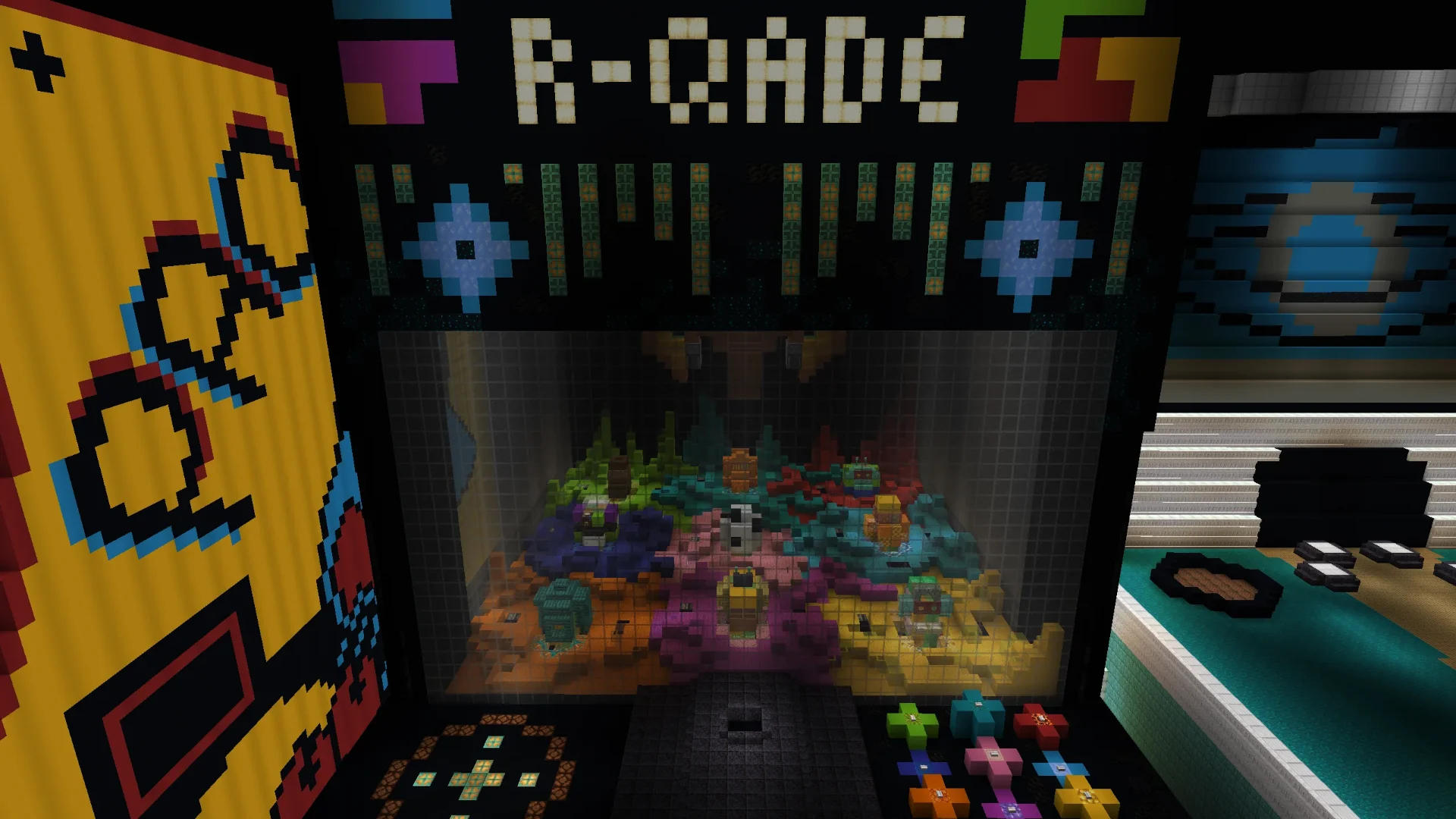
The Arcade Claw Machine
The Short Answer
Can You Build a Working Claw Machine in Minecraft?
Yes. This Minecraft claw machine is built entirely in vanilla — no mods, no plugins, no resource packs. Press one of nine buttons and it fetches the toy you picked, every time.
Each button is ringed in the same colour as the toy it belongs to. The claw drops from the top of the cabinet, closes on that toy and lifts it inside. Flying machines carry it to the back, drop it into a tile system that moves it to the front, and it unloads into the dropbox. A reset button remembers the tile the toy came from and sends it back there.
There are nine toys, an on-screen countdown timer while the claw runs, and no way for a player to break it — no button order jams it. Free world download for Minecraft 1.21.10.
Introduction
A Claw Machine That Always Wins
Every real claw machine is designed to disappoint you. The grip goes slack halfway up, the toy tumbles back into the pit, and your money is gone. So I built one that does the opposite. Press a button, pick a prize, and the claw brings it home — every single time.
Nine toys sit in the prize pit, each one ringed in its own colour. Nine buttons sit on the control panel, each one ringed in the matching colour. Press the button, and the claw drops out of the ceiling of the cabinet, closes around that exact toy, and hauls it up into the machine. From there it gets carried to the back, dropped into the delivery system, ferried to the front, and unloaded into the dropbox — where you can walk right up and take it.
Then you press reset, and the machine puts the toy back on the precise tile it was lifted from, ready for the next round.
All of it runs in vanilla Minecraft. No mods, no plugins, no resource packs, no external tools. And — the part I'm proudest of — there is no way for a player to break it.
The world download is free and available at the bottom of this post.
The Prizes
Nine Toys in the Pit
A claw machine is only as good as what's inside it, so the prize pit got as much attention as the redstone. Nine prizes, all built block by block: there's a soccer ball, a bee, and a monkey-looking fellow who I'm still not entirely sure about, plus a gold head, a lantern and a nic-nak filling out the back row — and then there's the corner of the pit I really want you to look at.
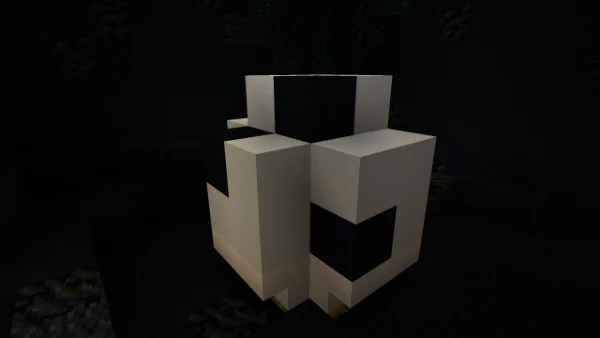
Soccer Ball
The one everyone goes for first
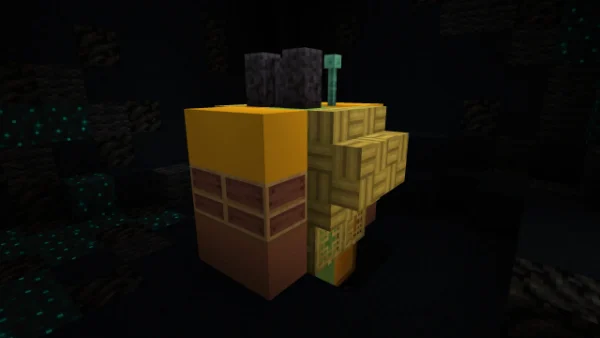
The Bee
Small, stripy, dangerously cute
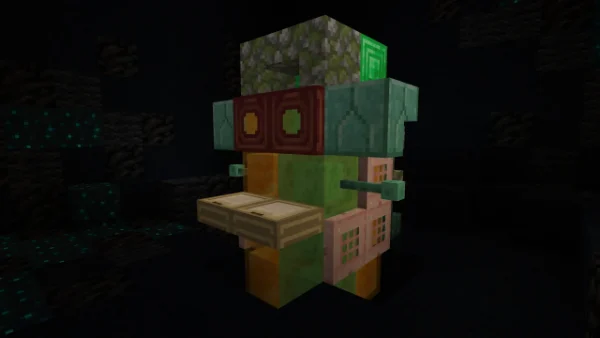
The Monkey
Cheeky little guy
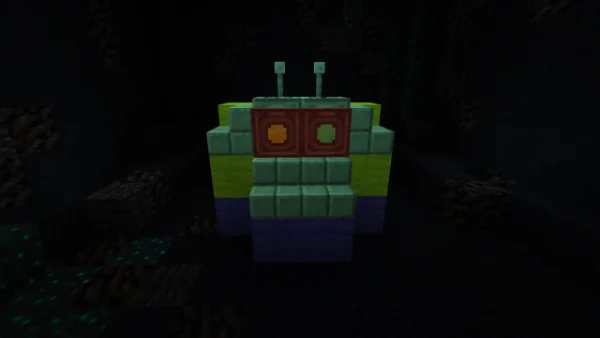 ★
★Space Alien
Utterly devoted to the claw
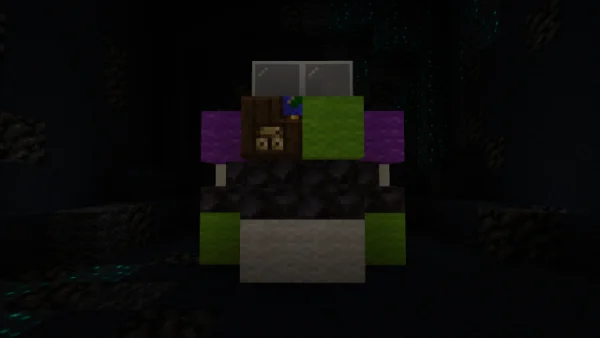 ★
★Space Ranger
Absolutely convinced he can fly
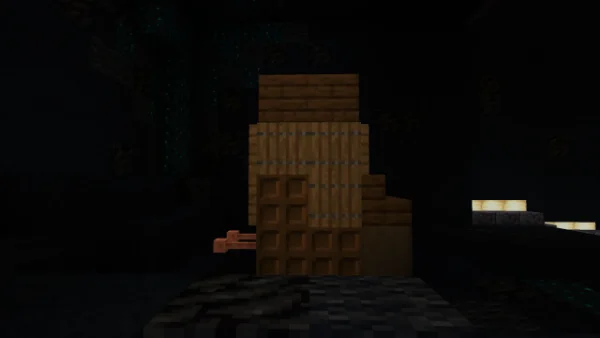 ★
★Cowboy Boot
Complete with a spur on the heel
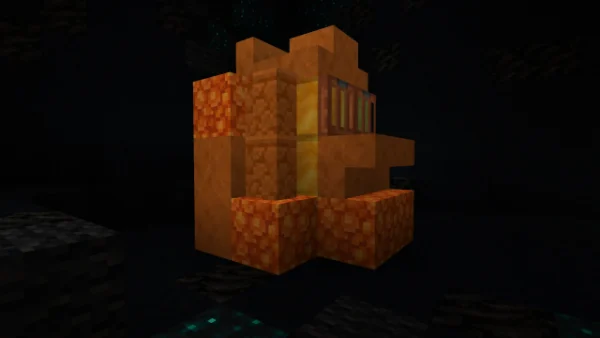
The Gold Head
Worth more than the machine, probably
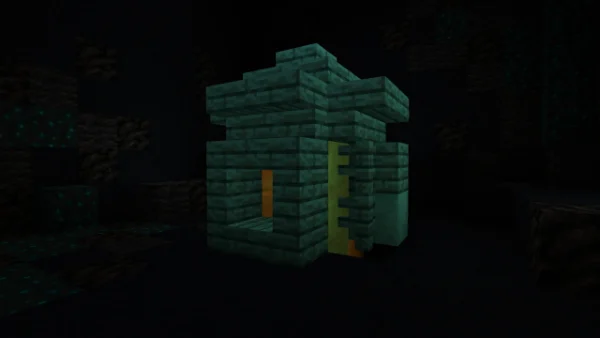
The Lantern
A prize that lights its own corner
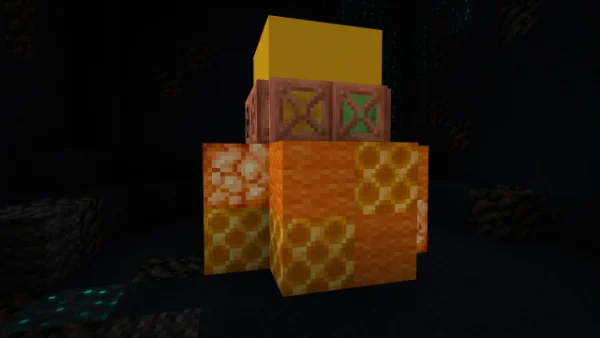
The Nic-Nak
Exactly what it says on the tin
All nine prizes, each one ringed in the colour of the button that fetches it.
The Ones I'm Actually Excited About
The Space Alien, the Space Ranger, and the Cowboy Boot
If you grew up anywhere near a certain animated film about toys, you already know exactly why these three are in here together. Building a claw machine and not putting a little green alien in the pit would have been a crime.
The Space Alien is the heart of the whole build — wide-eyed, antenna up, entirely at peace with whatever the claw decides. The Space Ranger stands beside him in full flight-ready posture, and the Cowboy Boot rounds out the trio with a name scuffed into the sole.
Grab all three in a row and you've effectively re-enacted the best scene in the movie, except this time the claw actually cooperates.
Controls
Nine Buttons, Colour Matched
The entire user interface is nine buttons and one reset button. That's it. No levers to pull in sequence, no coordinates to type, no manual to memorise before your first go.
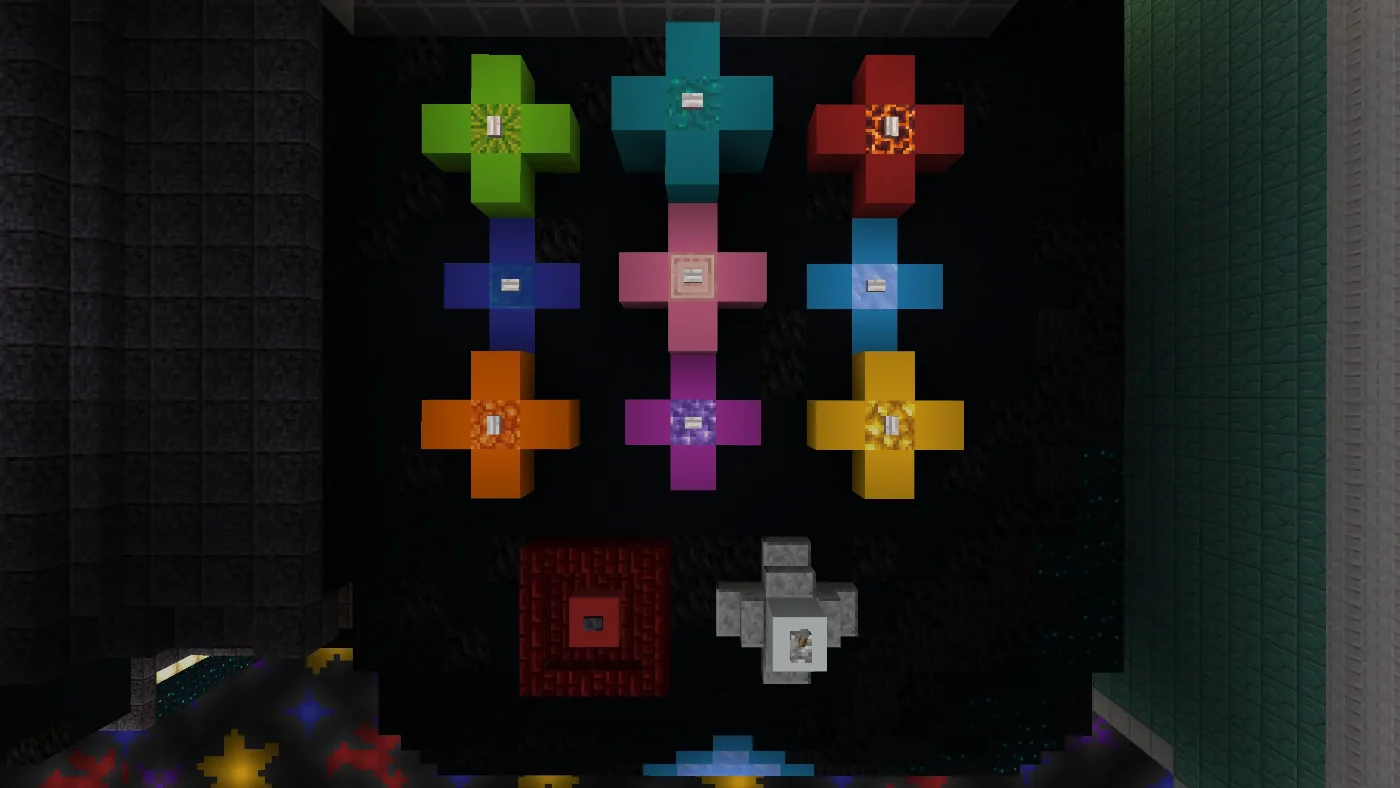
Each of the nine buttons is surrounded by a coloured frame, and every toy in the pit is surrounded by that same colour. Want the toy in the green ring? Press the button in the green ring. That's the entire control scheme — you can hand the machine to somebody who has never touched redstone in their life and they'll work it out in about four seconds.
It's a deliberately dumb interface for a very not-dumb machine, and that's the point. The complexity lives in the walls, not in the player's head.
The nine ring colours
Each frame is mirrored around its matching toy down in the pit.
Technical
How It Works
One button press kicks off a four-stage journey. Here's the whole route, front to back and back to front again.
01
Drop & Grab
The claw descends from the ceiling and takes the toy
02
Haul Back
Flying machines carry it to the back of the machine
03
Smart Tiles
It drops into the tile system and rides to the front
04
Dropbox
The prize unloads at the front of the machine
The Drop & Grab
The moment a button goes in, the claw comes down. It lives up in the top of the cabinet, out of sight behind the marquee, and it drops straight down through the pit to the toy that button belongs to.
It closes, it lifts, and it carries the toy back up into the machine. No swinging, no near-misses, no dramatic slip at the last second. The claw goes down, the claw comes up, and the toy comes with it.
Into the Machine
Once the toy is inside, a set of flying machines takes over. They carry it from the grab point all the way to the back of the machine, and then drop it straight down into the delivery system waiting underneath.
This is the part of the build nobody playing it will ever see, and it's the part that took the longest. Everything from here on happens behind the panels — from the player's side of the glass, the toy simply vanishes into the ceiling and reappears at the front a few seconds later.
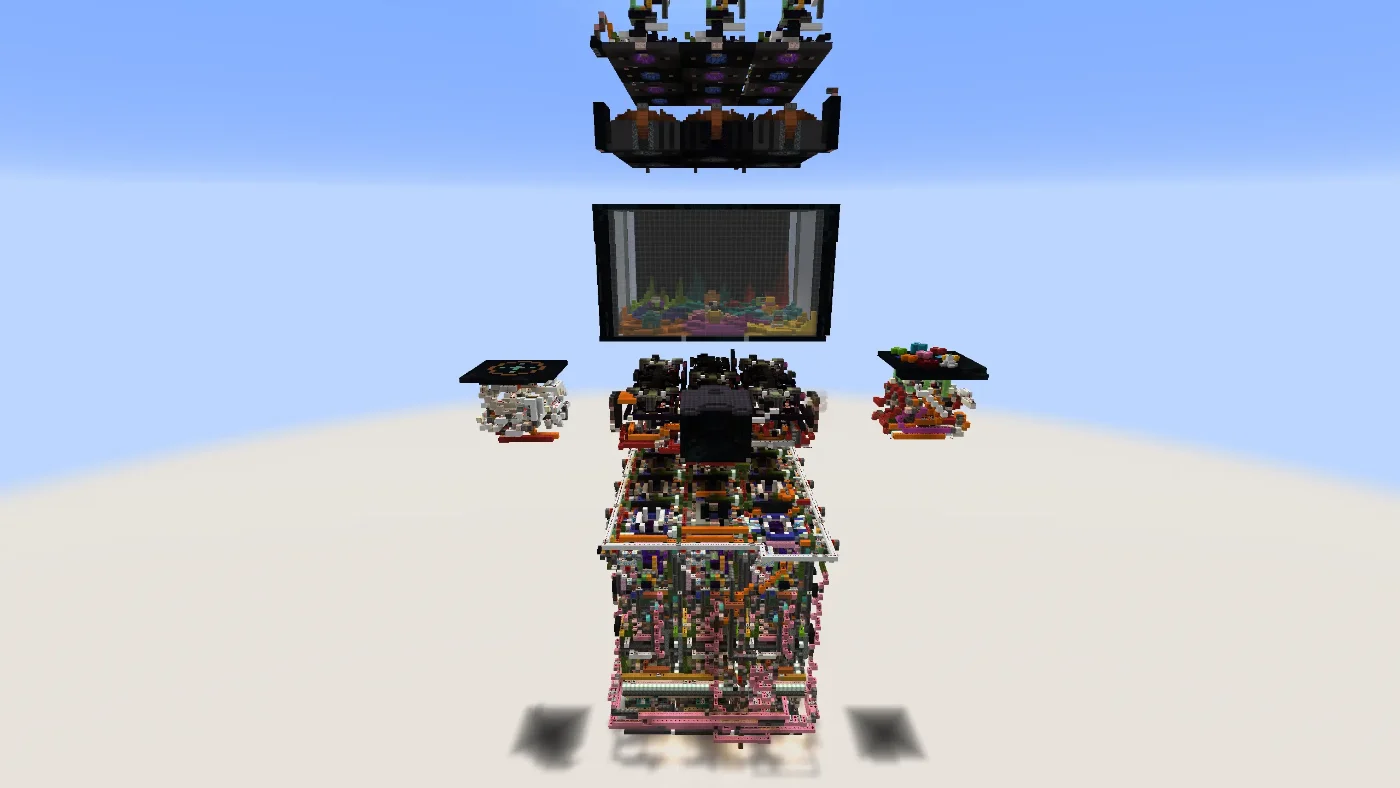
The Smart Tiles
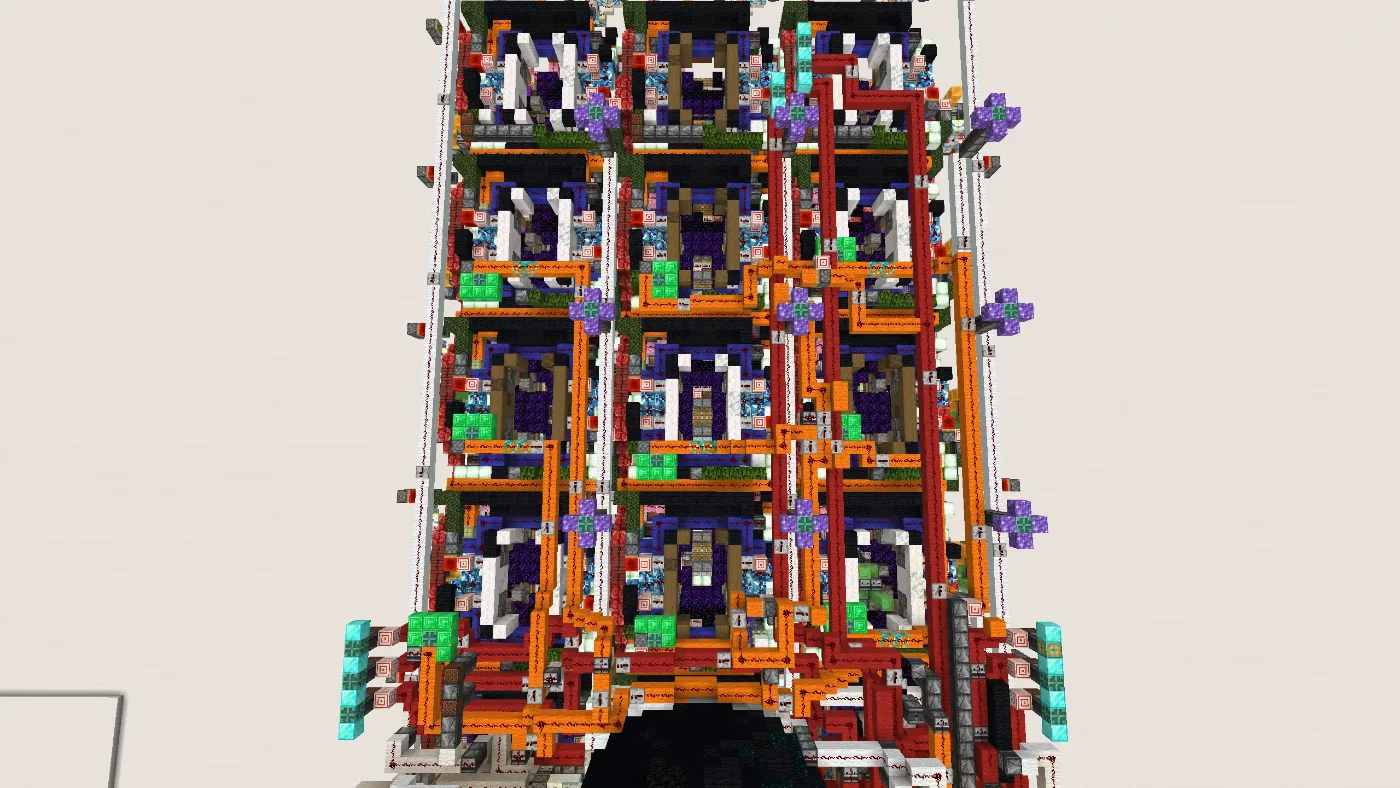
The toy lands in the smart tile system — the layer that handles delivery. Once the flying machines have dropped it in at the back, the tiles take the toy the rest of the way and move it forward to the front of the machine.
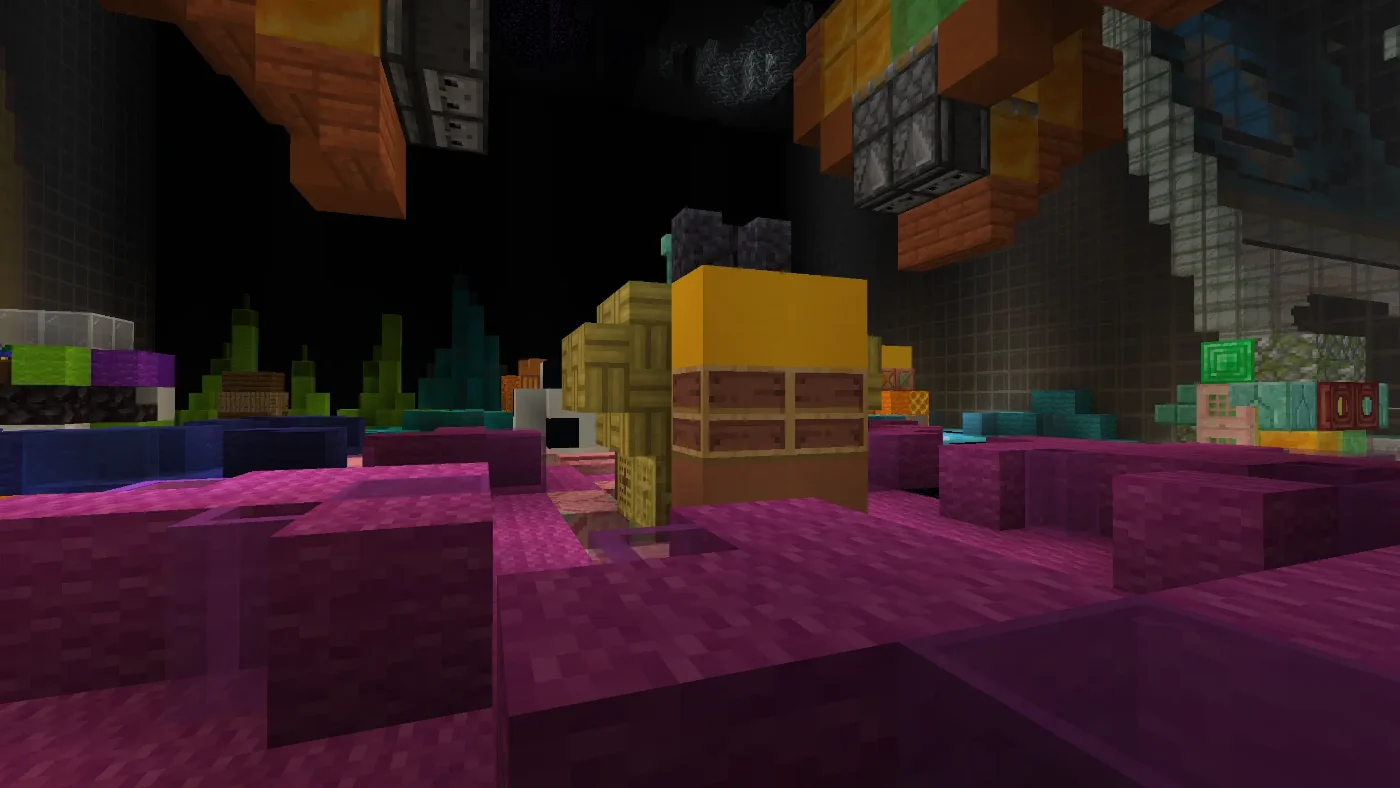
It is, by a wide margin, the densest section of the build. What looks like an impenetrable wall of pistons, observers and redstone in the screenshot below is really just one job done nine different ways: get the toy from wherever it entered to where the player is standing.
The Dropbox
The last thing the machine does is unload the toy at the front, into the dropbox — the same slot a real claw machine would spit your prize into, except this one actually delivers.
Walk up, look in, and there's your toy: exactly the one whose colour you pressed, sitting at the front of the machine waiting for you.
Memory
The Reset Button Remembers
A claw machine you can only use once isn't much of a claw machine. So underneath the nine prize buttons there's a tenth: reset.
The machine remembers the tile it last picked up from. When you hit reset, it already knows exactly where that toy came from, and it sends it straight back to that spot in the pit. Not a generic "return to start" — the actual tile, the same one, every time.
That's what makes the whole thing replayable. Grab the alien, admire the alien, hit reset, watch the alien go home, then go straight for the boot. There's no manual rebuild, no walking round the back to place anything, and nothing for you to line up yourself. One button, and the machine is loaded for the next player.
The short version: nine buttons take a toy out, one button puts it back where it was. That's the entire user manual.
Feedback
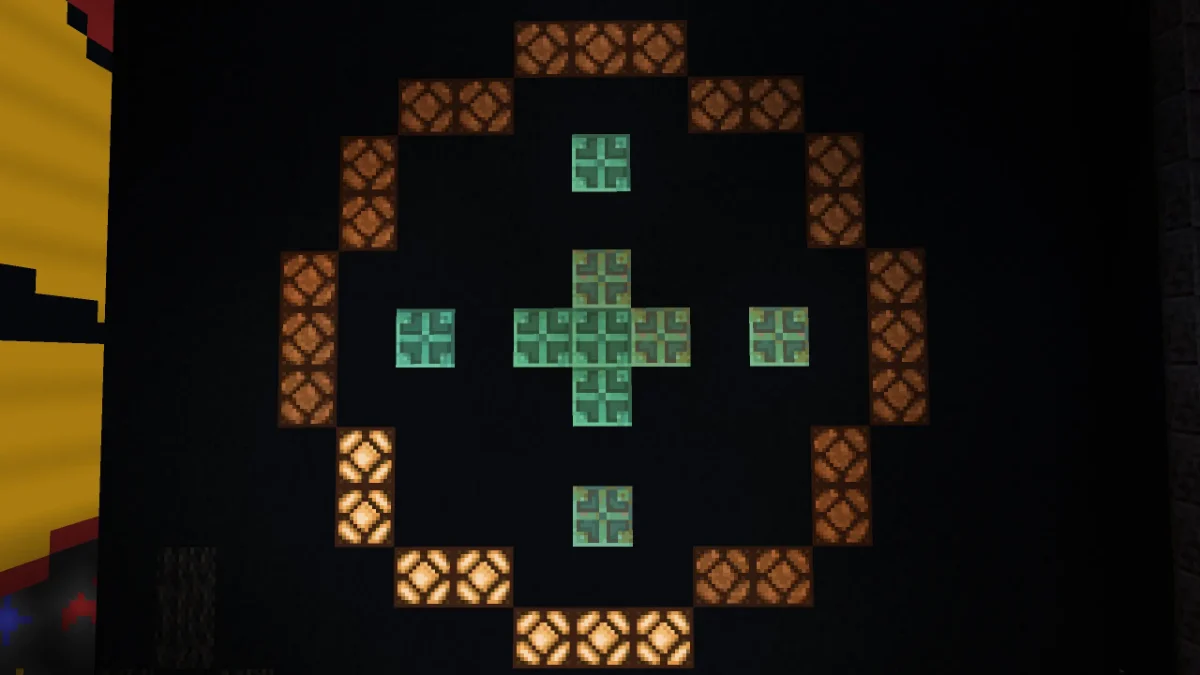
A Timer So You're Never Guessing
The one genuinely annoying thing about big redstone contraptions is the waiting. You press the button, something starts clunking away inside the walls, and you have no idea whether it'll be done in two seconds or twenty — so you stand there mashing the button again, which is exactly how people break machines.
So the cabinet has a timer. While the machine is off fetching your toy, it shows you a live visual of how much longer there is to go. You can see the run counting down in front of you, so you know the machine is working and you know roughly when to expect your prize in the dropbox.
It's a small addition that changes the feel of the entire build. Waiting for something is fine. Waiting for something with no idea if it's even working is not.
Atmosphere
Building an Arcade, Not a Machine
A working claw machine sitting alone on a superflat is a tech demo. I wanted it to feel like a place you'd actually walk into — so a big chunk of this build has nothing to do with redstone at all.
The Other Cabinets
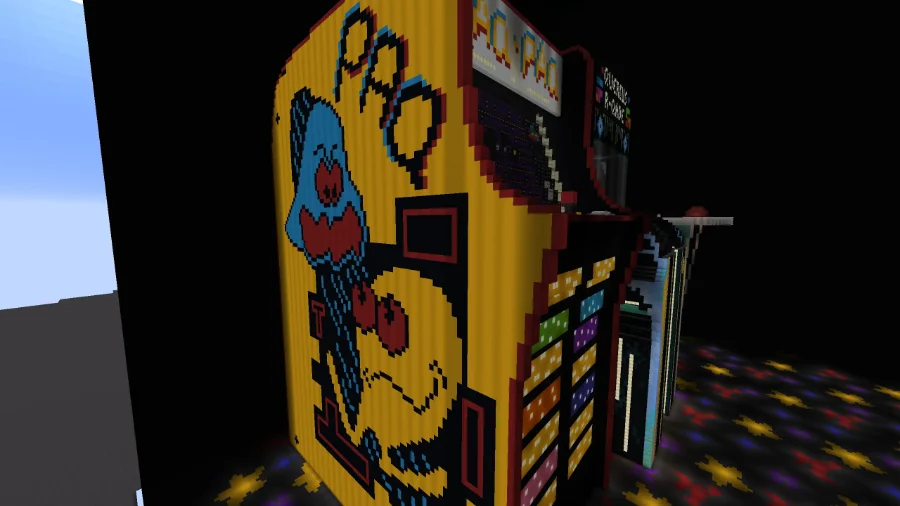
One arcade machine on its own doesn't read as an arcade. It reads as an arcade machine. So I built two more cabinets and stood them either side of the claw machine — purely for the atmosphere.
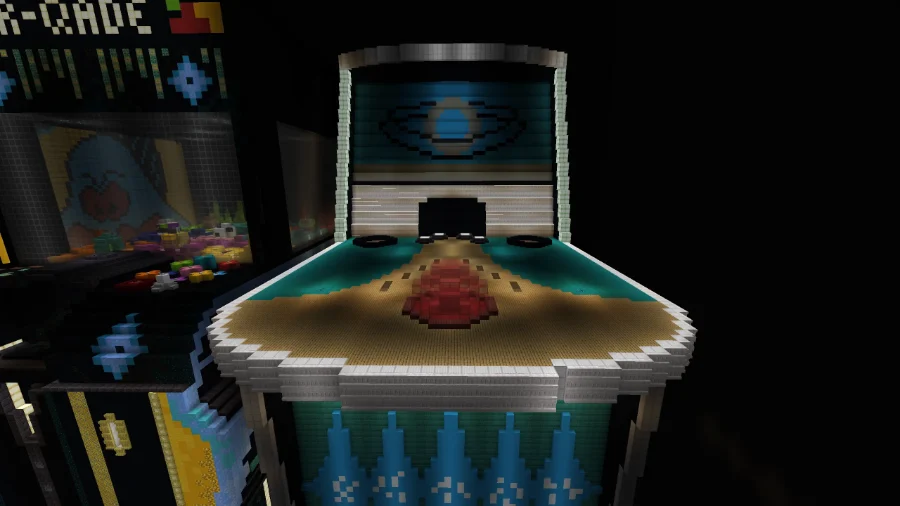
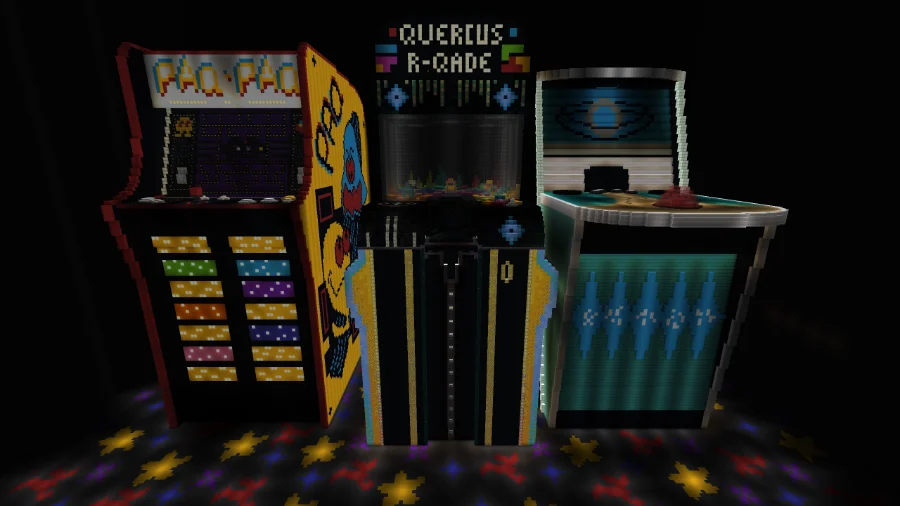
On the left is Pac-Pac, a full-height cabinet in arcade yellow with its maze running across the screen and the side art wrapping the entire panel. On the right sits the jukebox — lower, wider, and glowing under its own backglass.
They exist for one reason: to make the space feel like a room you've wandered into rather than a stage built around a single object. Your eye lands on a row of cabinets, not a lone machine, and the claw machine becomes the one you walked over to instead of the only thing in the world.
The Black Box
Then all three machines went inside a black box. Think about every arcade you've ever been in — they're dark. Not dim, properly dark, so that the only things you can see are the things that are lit up. That darkness is the whole reason arcade cabinets look the way they do.
So the room around the machines is black, top to bottom. It sounds like a strange thing to spend time on, but the black box is what makes everything else in this section work.
Light Through the Roof
With a sealed black room, the question becomes how you light it — and I didn't want to just scatter light sources around. Instead I poked holes in the roof, directly above the areas I wanted to draw your eye to.
Light pours down through those gaps and lands exactly where I aimed it. Anything under a hole is picked out of the dark; everything else stays black. The result is a soft glowing effect on the highlighted areas that you simply don't get from placing torches, lanterns or glowstone in a normal build.
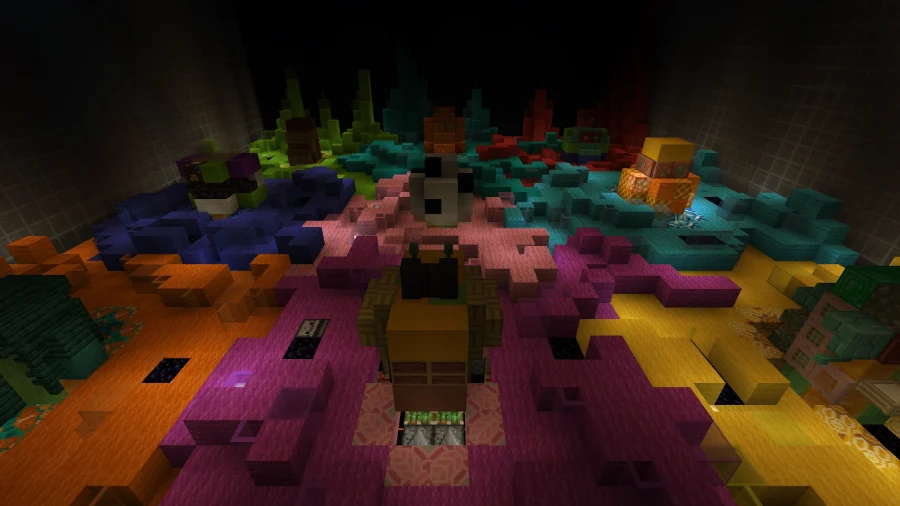
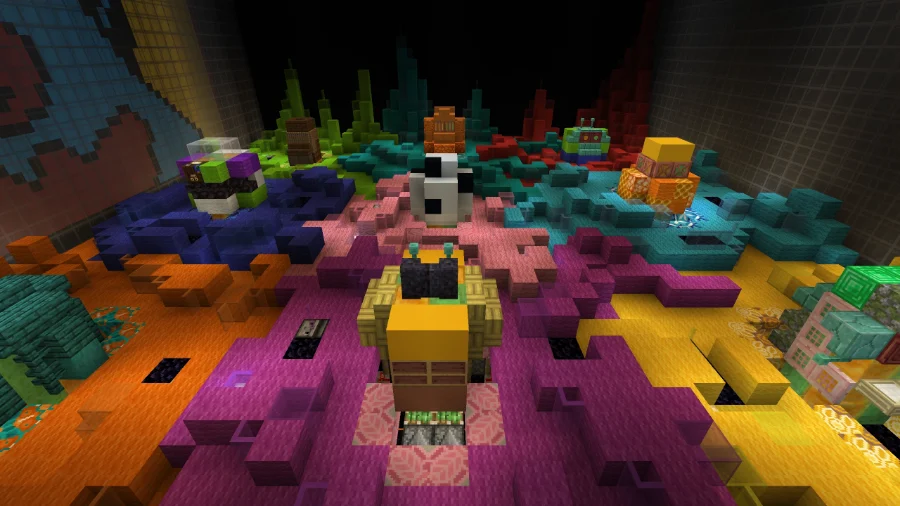
It turns lighting into composition. Rather than making the room "bright enough to see", the roof holes decide what you look at — the cabinets, the floor, the prize casing — and let the rest of the box disappear. Here's each of those three with the roof sealed and then opened.
The idea, in cross-section

'/%3e%3cpolygon%20points='780,86%20840,86%20940,720%20680,720'%20fill='url(%23shaft)'/%3e%3cpolygon%20points='960,86%201020,86%201120,720%20860,720'%20fill='url(%23shaft)'/%3e%3c/g%3e%3cellipse%20cx='800'%20cy='716'%20rx='330'%20ry='34'%20fill='%23c9a961'%20opacity='0.22'/%3e%3crect%20y='700'%20width='1600'%20height='200'%20fill='%23131218'/%3e%3crect%20x='448'%20y='560'%20width='113'%20height='179'%20fill='%2317171b'/%3e%3crect%20x='793'%20y='485'%20width='120'%20height='251'%20fill='%234a4438'/%3e%3crect%20x='793'%20y='485'%20width='120'%20height='10'%20fill='%23c9a961'%20opacity='0.7'/%3e%3crect%20x='1496'%20y='601'%20width='66'%20height='106'%20fill='%2317171b'/%3e%3crect%20x='88'%20y='557'%20width='149'%20height='144'%20fill='%2317171b'/%3e%3crect%20x='1010'%20y='469'%20width='66'%20height='263'%20fill='%234a4438'/%3e%3crect%20x='1010'%20y='469'%20width='66'%20height='10'%20fill='%23c9a961'%20opacity='0.7'/%3e%3crect%20x='95'%20y='524'%20width='126'%20height='195'%20fill='%2317171b'/%3e%3crect%20x='1338'%20y='657'%20width='78'%20height='75'%20fill='%2317171b'/%3e%3crect%20x='40'%20y='512'%20width='73'%20height='217'%20fill='%2317171b'/%3e%3crect%20x='1226'%20y='486'%20width='137'%20height='243'%20fill='%2317171b'/%3e%3crect%20x='508'%20y='633'%20width='63'%20height='93'%20fill='%2317171b'/%3e%3crect%20x='449'%20y='479'%20width='94'%20height='233'%20fill='%2317171b'/%3e%3crect%20x='837'%20y='614'%20width='138'%20height='104'%20fill='%234a4438'/%3e%3crect%20x='837'%20y='614'%20width='138'%20height='10'%20fill='%23c9a961'%20opacity='0.7'/%3e%3crect%20x='622'%20y='608'%20width='111'%20height='125'%20fill='%234a4438'/%3e%3crect%20x='622'%20y='608'%20width='111'%20height='10'%20fill='%23c9a961'%20opacity='0.7'/%3e%3crect%20x='529'%20y='506'%20width='114'%20height='217'%20fill='%234a4438'/%3e%3crect%20x='529'%20y='506'%20width='114'%20height='10'%20fill='%23c9a961'%20opacity='0.7'/%3e%3crect%20x='860'%20y='591'%20width='95'%20height='112'%20fill='%234a4438'/%3e%3crect%20x='860'%20y='591'%20width='95'%20height='10'%20fill='%23c9a961'%20opacity='0.7'/%3e%3crect%20x='787'%20y='551'%20width='113'%20height='160'%20fill='%234a4438'/%3e%3crect%20x='787'%20y='551'%20width='113'%20height='10'%20fill='%23c9a961'%20opacity='0.7'/%3e%3crect%20x='119'%20y='479'%20width='100'%20height='229'%20fill='%2317171b'/%3e%3crect%20x='1275'%20y='532'%20width='70'%20height='192'%20fill='%2317171b'/%3e%3crect%20x='373'%20y='550'%20width='143'%20height='165'%20fill='%2317171b'/%3e%3crect%20x='1020'%20y='597'%20width='116'%20height='110'%20fill='%234a4438'/%3e%3crect%20x='1020'%20y='597'%20width='116'%20height='10'%20fill='%23c9a961'%20opacity='0.7'/%3e%3crect%20x='0'%20y='609'%20width='115'%20height='122'%20fill='%2317171b'/%3e%3crect%20x='648'%20y='580'%20width='128'%20height='140'%20fill='%234a4438'/%3e%3crect%20x='648'%20y='580'%20width='128'%20height='10'%20fill='%23c9a961'%20opacity='0.7'/%3e%3crect%20x='438'%20y='466'%20width='82'%20height='245'%20fill='%2317171b'/%3e%3crect%20x='88'%20y='475'%20width='113'%20height='252'%20fill='%2317171b'/%3e%3crect%20x='261'%20y='469'%20width='100'%20height='242'%20fill='%2317171b'/%3e%3crect%20x='682'%20y='484'%20width='79'%20height='230'%20fill='%234a4438'/%3e%3crect%20x='682'%20y='484'%20width='79'%20height='10'%20fill='%23c9a961'%20opacity='0.7'/%3e%3c/svg%3e)
The whole arcade
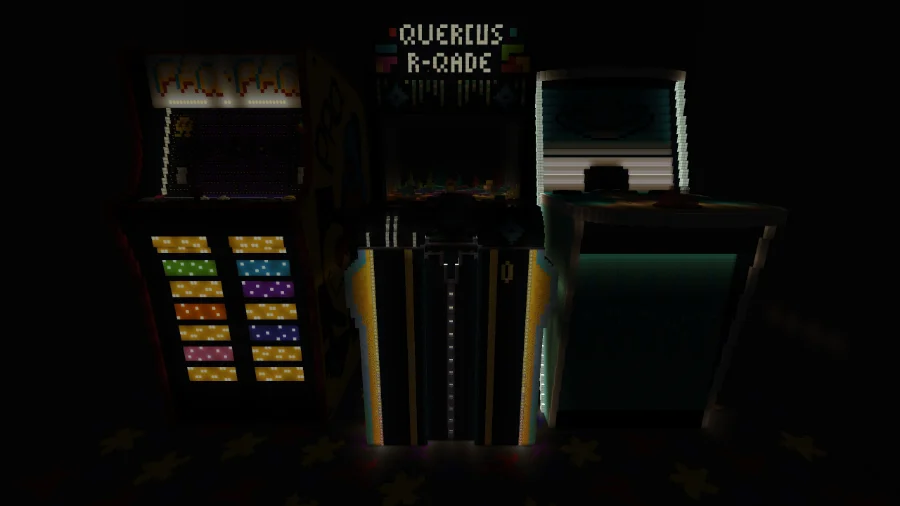
Sealed up, the three cabinets are barely shapes in the dark. Open the roof and the row reads instantly — marquees, side art, and the star-tiled floor underneath.
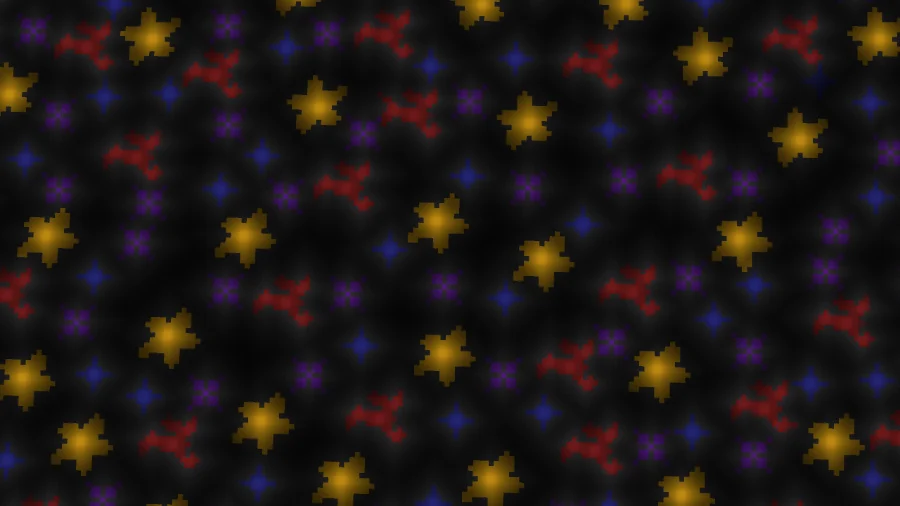
The floor
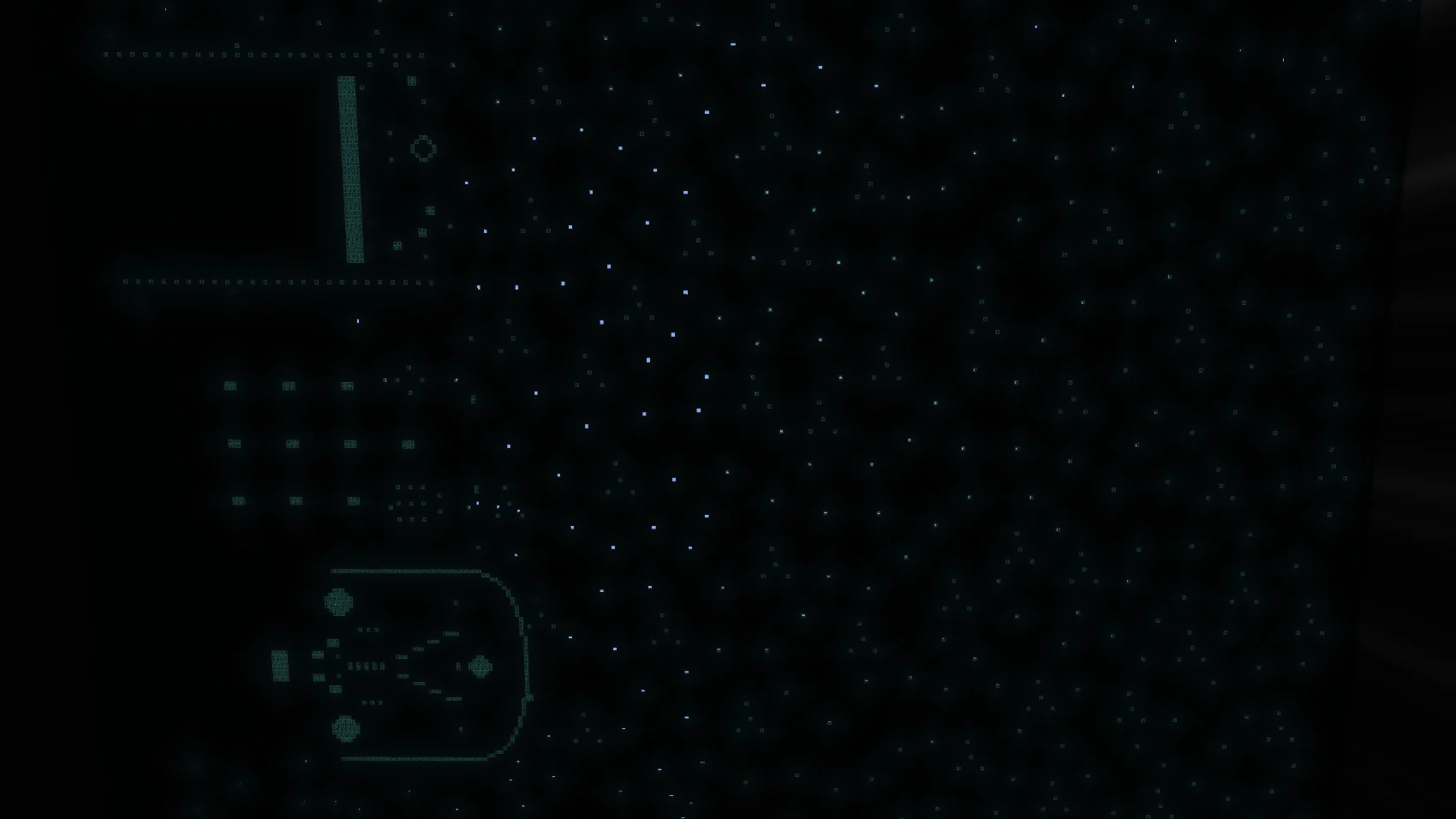
The most extreme of the three. With no light coming in, the floor is a black surface with a handful of faint shapes on it. Lit, the whole star pattern comes out in gold, red, blue and purple.

The prize casing
Inside the claw machine's glass. Unlit, the pit is a muddy silhouette; lit, every coloured tile and every toy separates out from its neighbour.
Design Goals
Vanilla, Friendly, and Unbreakable
100% Vanilla
No Mods
User Friendly
Unbreakable
It's entirely vanilla. No mods, no plugins, no resource packs, no external tools. Everything you see is blocks the game already gave you, arranged carefully enough to behave like a machine. Load the world, walk up, play.
It's built for people, not for redstoners. The interface is nine colour-matched buttons and a reset. There's no start-up procedure, no lever you have to flip first, and no order you need to learn. If you can match a colour to a colour, you can operate it.
And you cannot break it. That was the hard requirement the entire build was designed around, and it's the constraint that ate the most hours. Mash all nine buttons at once. Hit reset at the worst possible moment. Spam the panel while the claw is mid-run. Walk off halfway through and come back later. The machine does not care — it will not jam, it will not desync, and it will not need someone crawling into the back with a pickaxe to fix it.
This is genuinely the difference between a redstone demo and a redstone build. A demo works when the person who made it operates it correctly. A build works when you hand it to a stranger and walk away. This one is the second thing.
Player Proofing
No sequence of button presses puts the machine into a state it can't recover from. There is no "wrong" way to play it, which means there's nothing to explain before someone's first go.
Audio
I Wrote It Its Own Song
An arcade cabinet without an arcade tune is just a vending machine with extra steps. So the machine got a custom soundtrack — an original track written specifically for this build, all chiptune bounce and coin-op swagger.
Hit play below and you can hear exactly what the prize pit sounds like.
Original Soundtrack
R-QADE Theme
Original track — written for the claw machine
Free World Download
The Arcade Claw Machine
The complete arcade world save — the claw machine and its full delivery system, all nine prizes, the reset memory, the countdown timer, the Pac-Pac and jukebox cabinets, and the black box with its roof lighting. No mods or resource packs required. Pure vanilla.
Minecraft Version
1.21.10
Optional — Support the Creator
Enjoying the build?
You've already got the world — it's free, and it stays free. Nothing below is required to download or play it. If you'd like to support future projects, each tier comes with a permanent thank-you built into the work itself.
Community
Download and explore the full world at no cost, forever. No strings attached.
Already Free ↑Supporter
Your name credited at the end of all related YouTube videos.
Choose This Tier →Patron
A named sign placed inside future world downloads as a permanent thank-you.
Choose This Tier →Champion
A small statue or named mob in your honor built into future world downloads.
Choose This Tier →Monthly tier via Patreon. One-time tiers processed securely via Stripe.